 DartLog 0.2.0
Every request your Flutter app makes, on the record.
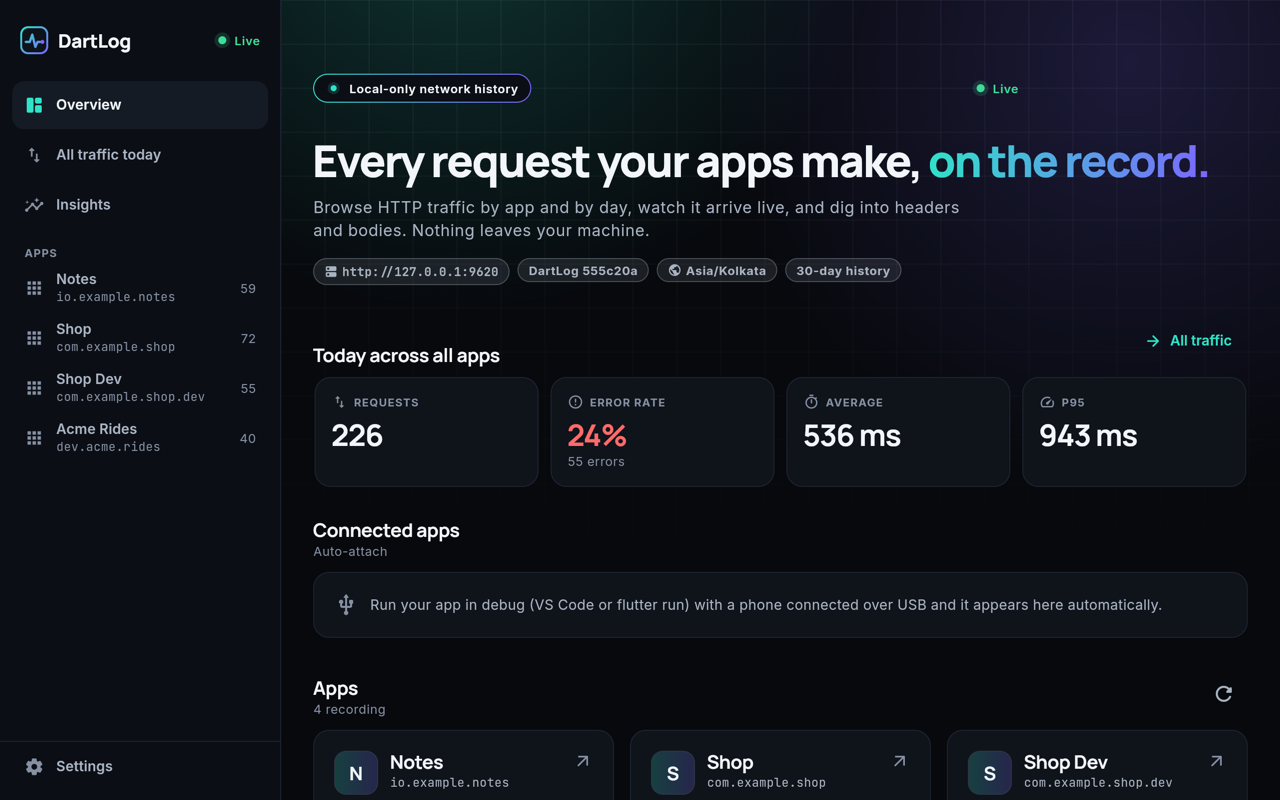
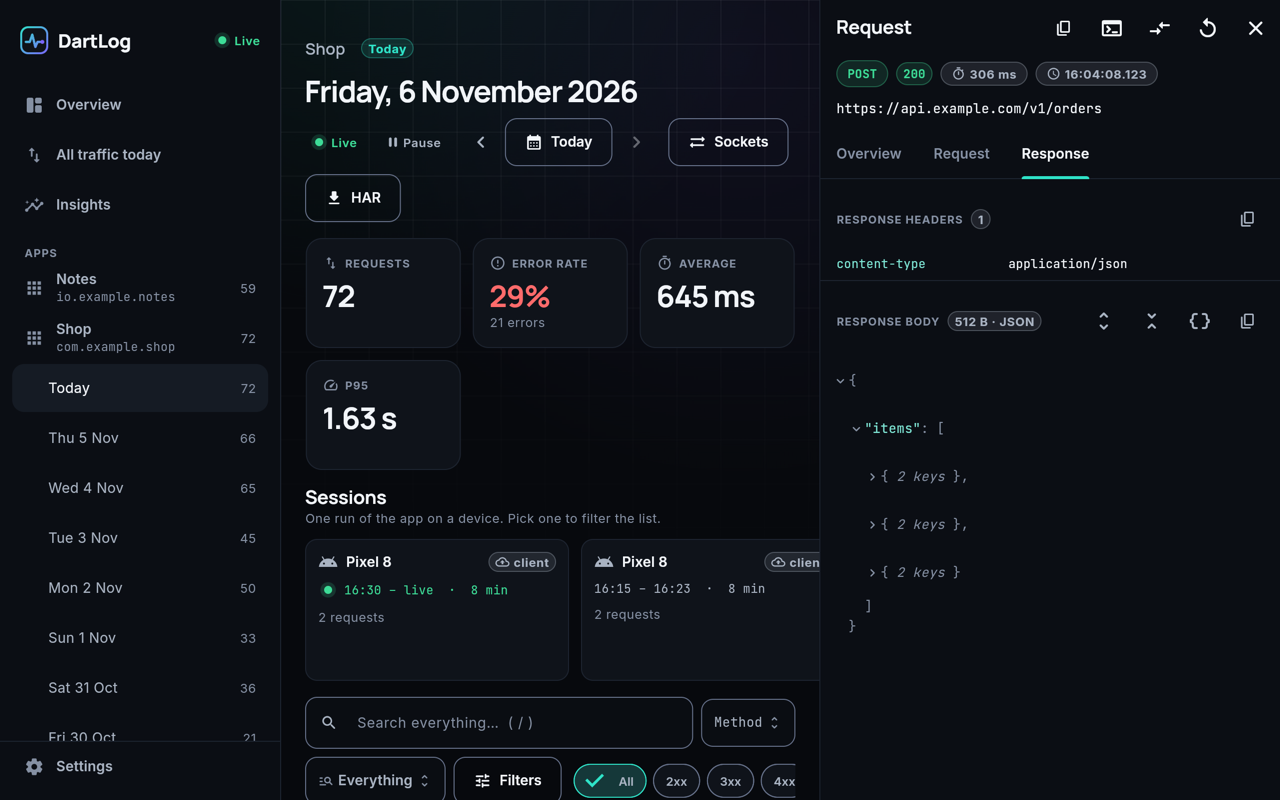
DartLog quietly records every network request your app makes while you develop, and keeps it by app and by day in a dashboard on your own computer. No code changes. Nothing is uploaded.
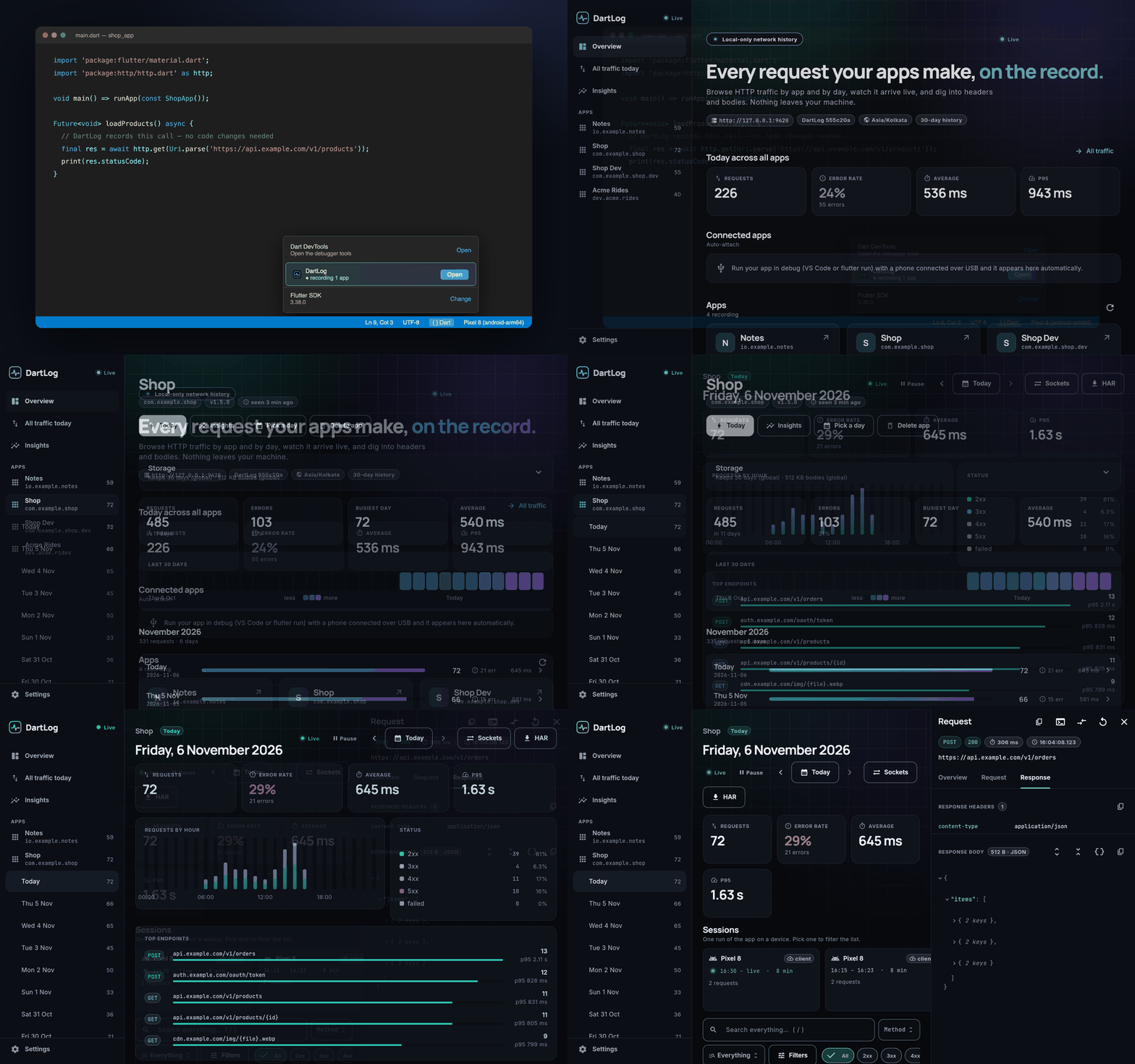
Why developers use it
Flutter's own tools show network calls only while the app is running, and forget them when it stops. DartLog remembers them, so you can answer "what did the login screen send this morning?" or "why did checkout fail yesterday at 4 pm?".
DartLog finds your debug Flutter app by itself, on a phone, emulator or simulator. Nothing to add to your project.
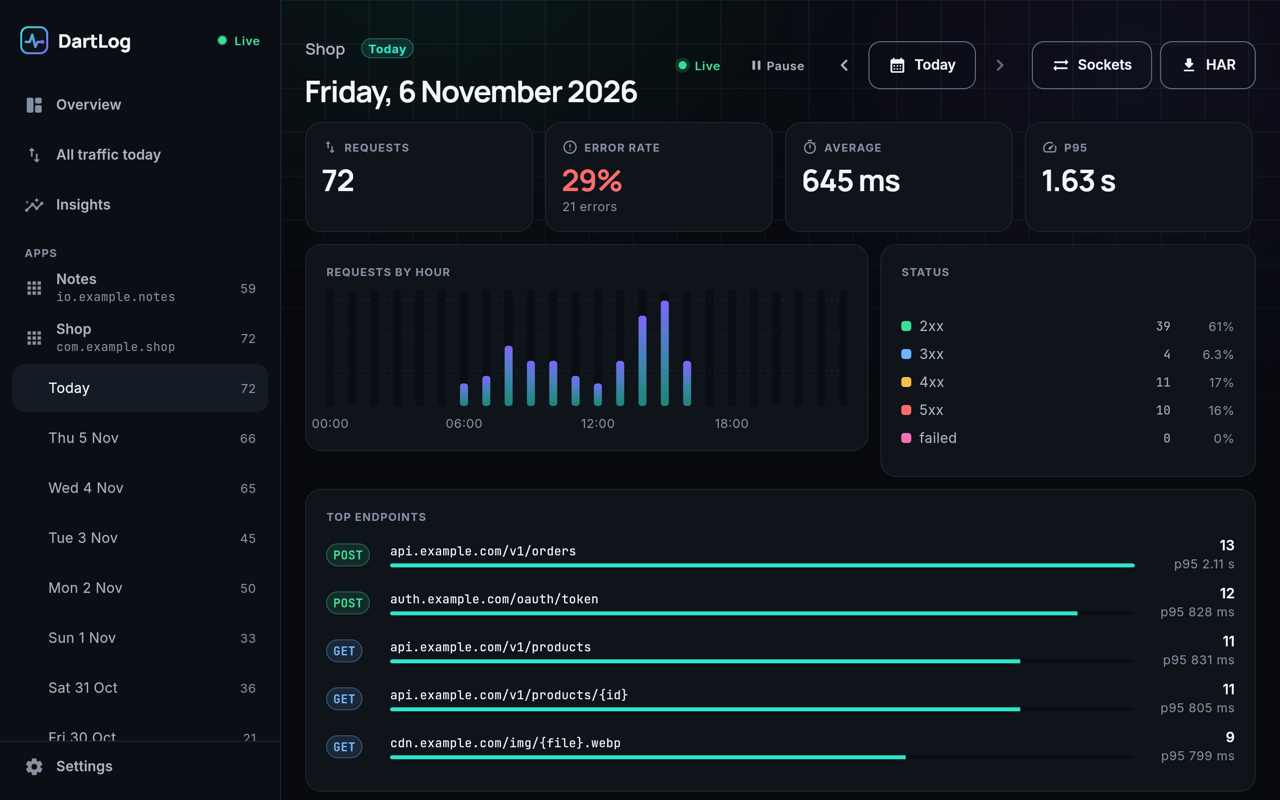
Every request and response is kept, sorted by app and date, so yesterday's bug is still there today.
What your app prints, logs and the errors it throws, on one timeline with its network calls.
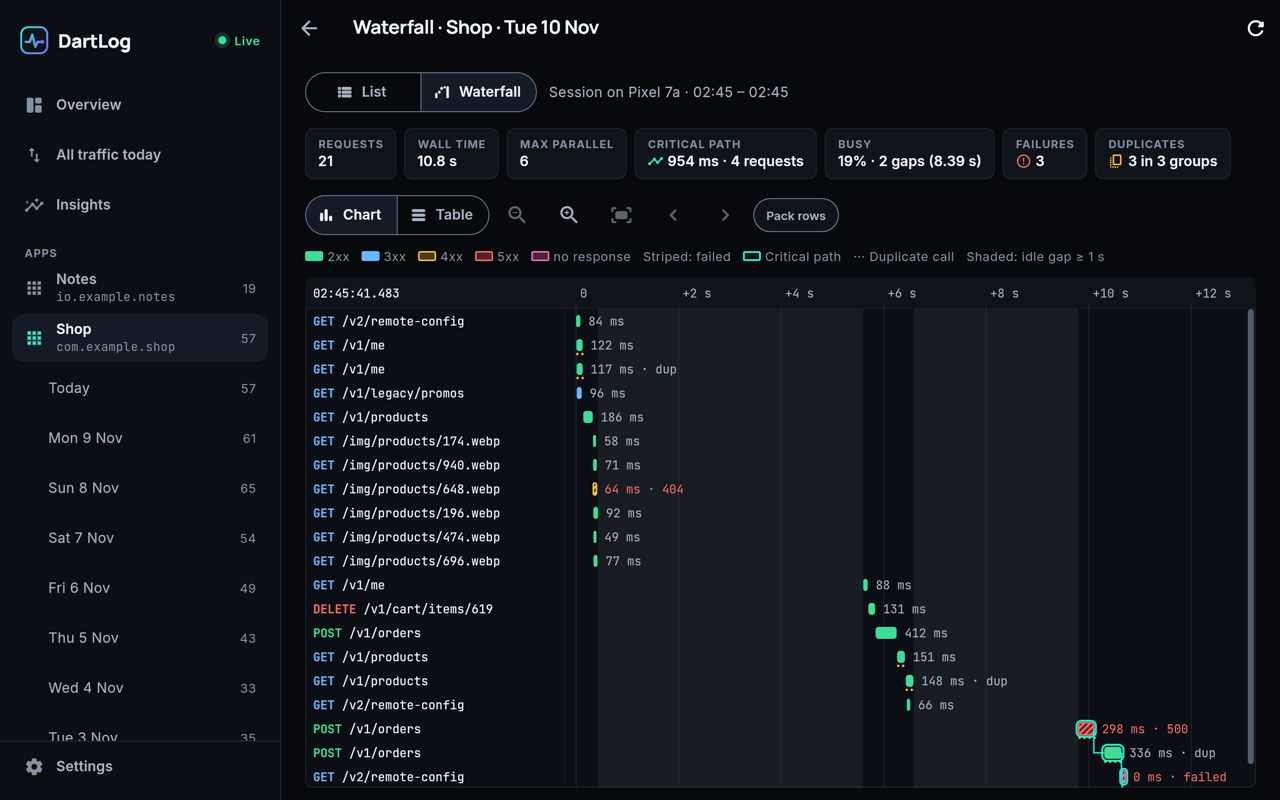
See calls that run in parallel, slow chains, idle gaps and failures at a glance.
Spots the same call fired twice (a rebuild, a double tap) and shows the time it wasted.
Give your debug app fake answers, errors or slow replies built from a real recorded request.
Which endpoints got slower, started failing, are new or disappeared between two app versions.
Find requests by what is in their body, like $.data.user.id == 42, and save searches.
Runs only on your computer. Passwords, tokens and card numbers are masked before saving.
Install
One command installs everything DartLog needs (it asks before installing anything), starts it in the background and opens the dashboard. You need Python 3.8 or newer, which macOS and most Linux systems already have.
- Open Terminal.
- Paste this and press Enter:
curl -fsSLO https://github.com/Manish1Pandey/dartlog-releases/releases/latest/download/setup.py
python3 setup.py
Install from the terminal as shown, not by downloading the file in a browser: macOS blocks unsigned programs downloaded by a browser.
- Open a terminal.
- Paste this and press Enter:
curl -fsSLO https://github.com/Manish1Pandey/dartlog-releases/releases/latest/download/setup.py
python3 setup.py
- Open PowerShell.
- Paste this and press Enter:
iwr https://github.com/Manish1Pandey/dartlog-releases/releases/latest/download/setup.py -OutFile setup.py
python setup.py
No Python? Use bootstrap.ps1; it installs Python first.
Then run your Flutter app in debug mode (F5 or flutter run) and open http://127.0.0.1:9300.
VS Code extension
DartLog in the Dart status menu and a sidebar of live requests. If DartLog isn't installed yet, the extension offers an Install DartLog button that runs the installer for you.
In VS Code: Extensions view → ⋯ → Install from VSIX… → pick the file.
See it
All downloads
Version 0.2.0, released 2026-11-10. The installer picks the right file for you; these are here if you need them.
| For | File | Size |
|---|---|---|
| macOS (Apple Silicon) | dartlog_0.2.0_darwin_arm64.tar.gz | 22 MB |
| macOS (Intel) | dartlog_0.2.0_darwin_amd64.tar.gz | 22 MB |
| Linux (x64) | dartlog_0.2.0_linux_amd64.tar.gz | 22 MB |
| Linux (ARM) | dartlog_0.2.0_linux_arm64.tar.gz | 22 MB |
| Windows (x64) | dartlog_0.2.0_windows_amd64.zip | 22 MB |
| Windows (ARM) | dartlog_0.2.0_windows_arm64.zip | 22 MB |
| Installer (all systems) | setup.py | |
| SHA-256 checksums | checksums.txt | |
| VS Code extension | dartlog-0.4.0.vsix | 1 MB |
Release notes and older versions: github.com/Manish1Pandey/dartlog-releases/releases.
Questions
Is my data uploaded anywhere?
No. DartLog runs only on your computer and listens on 127.0.0.1. Secrets such as passwords, tokens and card numbers are masked before anything is saved.
Do I need to change my app?
No. DartLog connects to your debug app the same way Flutter DevTools does. It works with phones over USB, emulators and simulators.
How do I update?
Run python3 setup.py update. DartLog also tells you on its dashboard when a new version is out. Your history and settings are kept.
Is it free?
Yes, DartLog is free to download and use. It is proprietary software; see the license.
Something doesn't work
Run python3 setup.py doctor; it checks every part and says what to fix. You can also open an issue.